Thursday, November 12, 2015

IMAGE RESIZE WITH FILTER FIX: IMAGE 2

In class we were assigned to resize a photo to 200px then place it in photoshop and resize it to 2000 px to distort the image. The challenge was to rely on the photoshop filters to help get the transformed photo as close to the original as possible. 

Original Photo:


No Filtered 2000 px. Photo:


Filter Fixed Photo:


IMAGE RESIZE WITH FILTER FIX: IMAGE 1

In class we were assigned to resize a photo to 200px then place it in photoshop and resize it to 2000 px to distort the image. The challenge was to rely on the photoshop filters to help get the transformed photo as close to the original as possible. 

Original Photo:
No Filtered 2000 px. Photo:
Filter Fixed Photo:


DESTINATION PROJECT COMPRESSIONS

In class we were assigned to resize our photo into eight different compressions and compare the significant differences between the images where we placed ourselves in a place we had never been. Below I will first compare the various exported JPEG images and following I will compare the exported GIFs.

JPEG:

quality (100) size (457k)


quality (75) size (135k)


quality (50) size (69k)


quality (25) size (41k)


quality (0) size (19k)


For the various images above, the major difference I saw as I decreased the quality of the image was it became more blurry/distorted. The picture initially already had a blurred background, so by the last image with the quality of 0 the grand canyon backdrop holds cartoon characteristics as the distortion makes it look animated.  Definitely comparing the first photo of 100% quality to the last one with 0 quality I could see how the pixels definitely became more blurred and the image as a whole and especially myself became greatly distorted and not a clear image as it used to be.

GIFs

color (256, not dithered)


color (64, dithered)


color (16, not dithered)


For the various images above, the major difference I saw as I decreased the colors and dithered the image was the dulling/loss of color definition and variation. The significant change I saw from the first photo to the preceding photos was the as the color was decreased, the photo loss the red and green coloring. Specifically seen in the last photo, when the color is set at 16 the photo sticks to strictly gray, browns, and blue family colors. 


DESTINATION: GRAND CANYON

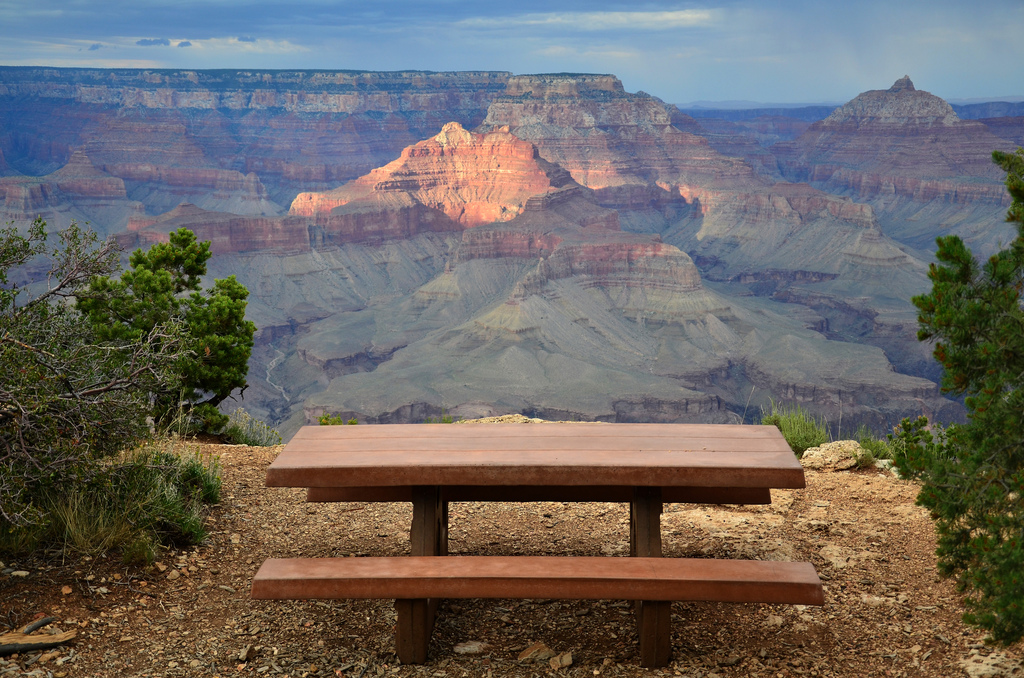
For this assignment we had to place ourselves somewhere we have never been. I did not choose anything elaborate as I decided to place myself on a picnic table with the grand canyon as the backdrop. As a personal goal I would like to visit all 50 states one day and of course if I am going to Arizona, the grand canyon is definitely a place I would stop to see.

Grand Canyon Photo:
My photo:
The final product:


ART PROJECT: ROSIE AND I COMPRESSIONS

In class we were assigned to resize our art project photos into eight different compressions and compare the significant differences between each exported image. Below I will first compare the various exported JPEG images and following I will compare the exported GIFs.

JPEG:

quality (100) size (457k)
quality (75) size (181k)
quality (50) size (81k)
quality (25) size (47k)
quality (0) size (23k)
For the various images above, the major difference I saw as I decreased the quality of the image was it became more blurry/distorted. The picture initially is not of best quality sense the natural filter of the image is of a grainy texture. Definitely comparing the first photo of 100% quality to the last one with 0 quality I could see how the pixels definitely became more blurred. 

GIFs

color (256, not dithered)
color (64, dithered)
color (16, dithered)
For the various images above, the major difference I saw as I decreased the colors and dithered the image was the dulling/decreasing of color definition. I specifically saw this trend in Rosie's red bandana as the initial photo is a bright red and by the third compression the red is a dull, almost deep orange color. Another significant difference that I recognized was the shadows on both her arms and shirt became more bold in colors and lost the blend between the different shades found within these parts of the image. 


ART PROJECT: ROSIE AND I COMBINED

For this assignment, we were challenged to pick a famous piece of art or other significant image to mesh our own face within the photo. I chose Rosie the Riveter, not for any specific reason, but was definitely ironic to transform an American symbol into a new photo that obtained Asian ethnicity.

The original photo:

My Photo:
Rosie and I transformation:


Thursday, November 5, 2015

Autoscopy


For this project we were challenged to portray something that we struggle with, which for me is feeling the constant need to please my parents. To represent this struggle, I blended in a photo of my dad with my photo and from there I slowly faded myself into the wall to symbolize how I lose myself due to always wanting to do what my parents want.